
When you need a specific metric from a dense corporate filing, textbook chapter, or academic paper, standard Ctrl+F keyword search constantly fails. Authors describe concepts with synonyms, hide crucial data in complex tables, or split key definitions across multiple footnotes.
You do not need to install complex local Python scripts or pay for enterprise document AI to solve this. ChatPDF (chatpdf.com) lets you converse with any PDF directly inside your web browser with zero setup and zero terminal friction.
What Is ChatPDF and What Can It Do for You?
Instead of forcing you to scroll endlessly through dense prose, ChatPDF reads the uploaded document, indexes its contents semantically, and answers your direct natural language questions in seconds:
- Instant Executive Summaries: Generates a high-level 3-bullet breakdown and suggests the top 3 questions you should ask about the document.
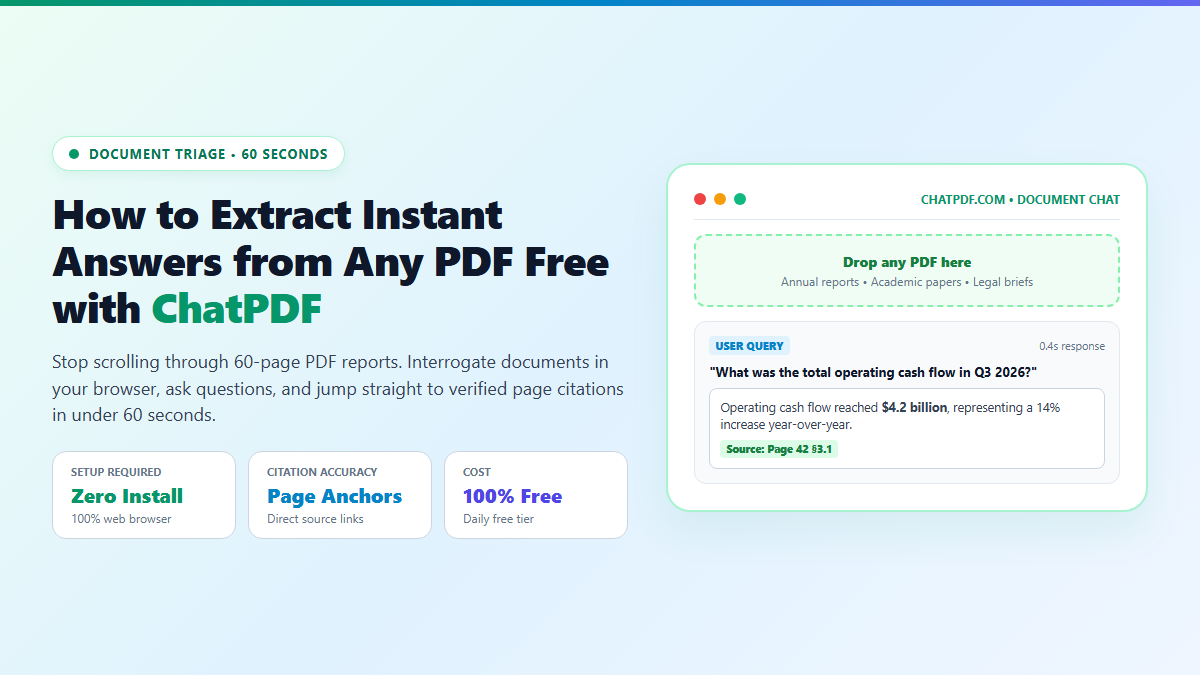
- Clickable Page-Level Citations: Every factual claim in the response includes a blue badge (e.g., Page 14 §2.3). Clicking the badge jumps directly to the highlighted source text in the PDF reader.
- Cross-Language Ingestion: Upload a technical report written in German, Japanese, or French, and ask questions in plain English—it translates and extracts findings automatically.
- Zero Account Barrier: You do not need to sign up, enter a credit card, or configure API keys to process daily documents.
The 60-Second Browser Workflow to Query Any Document
- Step 1: Open ChatPDF: Navigate to chatpdf.com in Chrome, Safari, or Edge.
- Step 2: Drop Your File: Drag and drop any PDF up to 120 pages (or paste a public PDF link). In roughly 2 seconds, ChatPDF parses the text and displays an initial welcome summary with three instant prompt chips.
- Step 3: Ask Targeted Questions: Type specific, analytical prompts rather than vague requests. For example: "What were the exact sample sizes and p-values reported in Table 2?" or "List all excluded participants and the authors' justification."
- Step 4: Verify with Citations: Click the embedded page anchors beneath the response to inspect the original passage and confirm there are no hallucinations before citing the findings.
Use ChatPDF for: Rapid Q&A on single documents. Extract key numbers, check terms, and triage PDFs in under 60 seconds without software installs.
Switch to Deep Tools for: Multi-paper research. If you need to synthesize 20 papers simultaneously, use Inciteful for citation graphs or organize notes in an Obsidian Dataview vault.
By using ChatPDF as your initial document filter, you turn 45-minute reading hurdles into 60-second factual lookups. You protect your time for the deep analysis that truly requires human judgment.