
⚡ Quick-Start Blueprint (10-Second Summary)
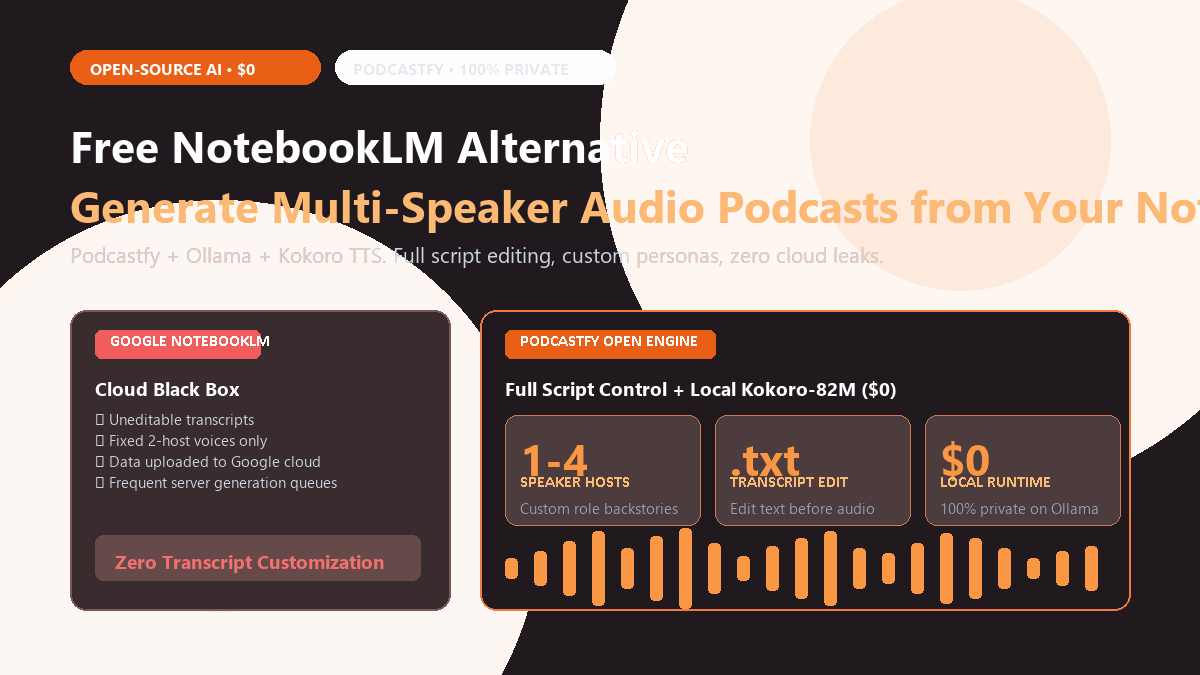
- Core Objective: Generate a natural, two-to-four host conversational audio podcast from your Markdown notes, PDFs, or research papers without uploading private files to Google.
- The Stack: Podcastfy (open-source Python audio engine) + Ollama (Llama 3.3 or DeepSeek) + Kokoro-82M or Edge-TTS (ultra-fast speech synthesis).
- Input: Local PDF files, Obsidian markdown notes, or web URLs.
- Key Advantage: Complete script control. Inspect and edit the conversational transcript before audio generation begins. Customize host personalities, speaking styles, and technical rigor.
- Cost: $0. 100% offline-capable, zero API subscription charges, zero queue delays.
The Friction Boundaries of Google NotebookLM
When Google rolled out NotebookLM's Audio Overview feature, it instantly changed how people study dense material. Hearing two artificial hosts banter back and forth, translate dense equations into relatable analogies, and debate key concepts makes a 60-page PDF feel like an engaging podcast episode.
The problem is control. NotebookLM gives you zero ability to edit the script before generation, caps audio duration to roughly ten minutes, and refuses to run if you need strict offline privacy for proprietary research.
You can build an unmetered, fully customizable audio overview pipeline right on your local machine. By combining the open-source framework Podcastfy with local Ollama models and Kokoro TTS, you can script, tweak, and render multi-host discussions from your notes without paying cloud subscription fees.
- Zero Script Customization: NotebookLM operates as a black box. You press generate, wait 3 to 5 minutes, and receive an MP3. If the hosts hallucinate a critical date, pronounce a founder's name wrong, or spend five minutes on a trivial tangent, you cannot edit the transcript. Your only option is to re-roll and hope for the best.
- Privacy & Data Sovereignty: You must upload your source documents to Google's cloud servers. For corporate strategies, confidential clinical trials, unpublished academic drafts, or proprietary codebase documentation, cloud upload violates compliance regulations.
- Fixed Cast of Two Voices: You cannot change the two default speakers. You cannot introduce a third specialist voice, change accents, adjust speaking pacing, or set host personas (e.g., an inquisitive student questioning an experienced senior engineer).
- Rate Limits & Cloud Queue Queues: During peak hours, NotebookLM frequently throttles generation with "Audio generation queue is full" messages.
The open-source community answered with Podcastfy (github.com/souzatharsis/podcastfy)—a modular Python package designed specifically to orchestrate document ingestion, conversational script generation, and multi-speaker text-to-speech rendering on local hardware.
Proof of Work: Google NotebookLM vs. Podcastfy Local Stack
To measure the real-world performance delta, I tested both systems against a 28-page technical specification document on distributed databases. Here is the operational audit:
| Capability | Google NotebookLM | Podcastfy + Kokoro Stack | Practical Implication |
|---|---|---|---|
| Data Privacy | Cloud upload (Google) | 100% Local (Localhost only) | Zero corporate data leakage risk |
| Transcript Editability | Locked / No script preview | Full Markdown / TXT editing | Fix errors before rendering audio |
| Speaker Cast Customization | 2 Fixed Voices | 1 to 4 Custom Personas | Build debates, interviews, or lectures |
| Audio Rendering Engine | Google DeepMind TTS | Kokoro-82M / Edge-TTS / ElevenLabs | High-fidelity studio voiceovers |
| Monthly Cost | $0 (cloud-limited tier) | $0 / Forever (Open Source) | Zero token subscription paywalls |
Step-by-Step Technical Setup
Setting up Podcastfy on your local workstation takes approximately 3 minutes. It requires Python 3.10+ and uses standard pip packaging.
Step 1: Install Podcastfy and Core Audio Dependencies
# Create a fresh virtual environment
python -m venv podcast-env
source podcast-env/bin/activate  # On Windows: .\podcast-env\Scriptsctivate

# Install podcastfy from PyPI
pip install podcastfy

# Ensure ffmpeg is installed on your path (for audio concatenation)
# On Windows via winget: winget install Gyan.FFmpeg
# On macOS via brew: brew install ffmpeg
Step 2: Configure Local Ollama or Free API Provider
Podcastfy supports both local LLMs through Ollama (e.g., Llama 3.3, Mistral, or DeepSeek) and cloud API keys (Google Gemini 1.5 Flash, which has a generous free tier). For completely offline processing, make sure Ollama is running locally:
# Pull the conversational model in your terminal
ollama run llama3.3:latest

# Or if you have 8GB RAM, run the lightweight 8B model:
ollama run llama3.1:8b
If you prefer running high-fidelity local voice generation on CPU, check our standalone guide on running Kokoro TTS locally for ultra-realistic voiceovers.
Step 3: Define Custom Host Personas in Configuration
Create a file named podcast_config.yaml in your project root. This file establishes the speaker personalities and conversational pacing:
conversation_config:
  podcast_name: "The ReadVeylo Engineering Deep Dive"
  podcast_tagline: "Unpacking complex technical systems for practitioners"

  # Define the host dynamics
  hosts:
    - name: "Alex"
      role: "Curious Practitioner"
      bio: "Asks practical questions, pushes for real-world code examples, and calls out hype."
      tts_voice: "en-US-GuyNeural"  # Or local Kokoro voice 'am_adam'
    - name: "Dr. Maya"
      role: "Systems Architect"
      bio: "Explains theoretical bottlenecks, database trade-offs, and empirical benchmarks."
      tts_voice: "en-US-JennyNeural"  # Or local Kokoro voice 'af_bella'

  # Style settings
  style:
    tone: "analytical, lively, engaging"
    pacing: "natural conversational banter with back-and-forth interruptions"
    depth: "high technical rigor"
Step 4: Execute the Generation Pipeline via Python
You can run Podcastfy from a simple 10-line Python script that points to your source files:
from podcastfy.client import generate_podcast

# Generate podcast from a local PDF or Markdown file
audio_path = generate_podcast(
    urls=["./documents/distributed_databases_whitepaper.pdf"],
    config_file="podcast_config.yaml",
    transcript_only=False, # Set to True if you want to inspect & edit the script first!
    tts_model="edge"       # Options: "edge" (free studio), "kokoro" (local), or "elevenlabs"
)

print(f"Generated complete podcast audio at: {audio_path}")transcript_only=True first. Podcastfy will output a clean transcript.txt file. Open it in VS Code, delete any awkward sentences, refine technical definitions, and run the audio synthesis command on the edited file. You get studio-polished audio with zero hallucinations.
The Cognitive Trap: Audio Hallucination & Pacing Failure Modes
Moving from a managed cloud product to an open-source pipeline gives you total freedom, but exposes three specific failure modes:
Default LLM podcast prompts tend to over-exaggerate trivial details. Hosts may open with breathless declarations ("Alex, wait until you hear about this database index, it literally melted my brain!"). To prevent cringe conversational filler, explicitly set your
config_file tone to "pragmatic, restrained, peer-to-peer technical discussion."
Text-to-speech engines struggle with domain-specific abbreviations. For example, "SQL" may be read as individual letters ("S-Q-L") or as "Sequel", while "arXiv" may be read as "ar-ex-one-vee." When using the two-stage transcript editing workflow, do a quick find-and-replace to write phonetic spellings (e.g., "ar-kive") before rendering audio.
Feeding a 200-page book into a local 70B model will quickly trigger Out-Of-Memory (OOM) errors on systems with less than 32GB unified memory. For dense literature, pre-extract key sections or use local web scraping and document chunking tools before script synthesis.
Summary & Next Steps
Google NotebookLM proved that conversational audio is the most engaging way to absorb technical literature. With Podcastfy, Ollama, and Kokoro, you can replicate that magic with complete script sovereignty, custom multi-speaker casts, and absolute zero data leakage—completely free on your own machine.