
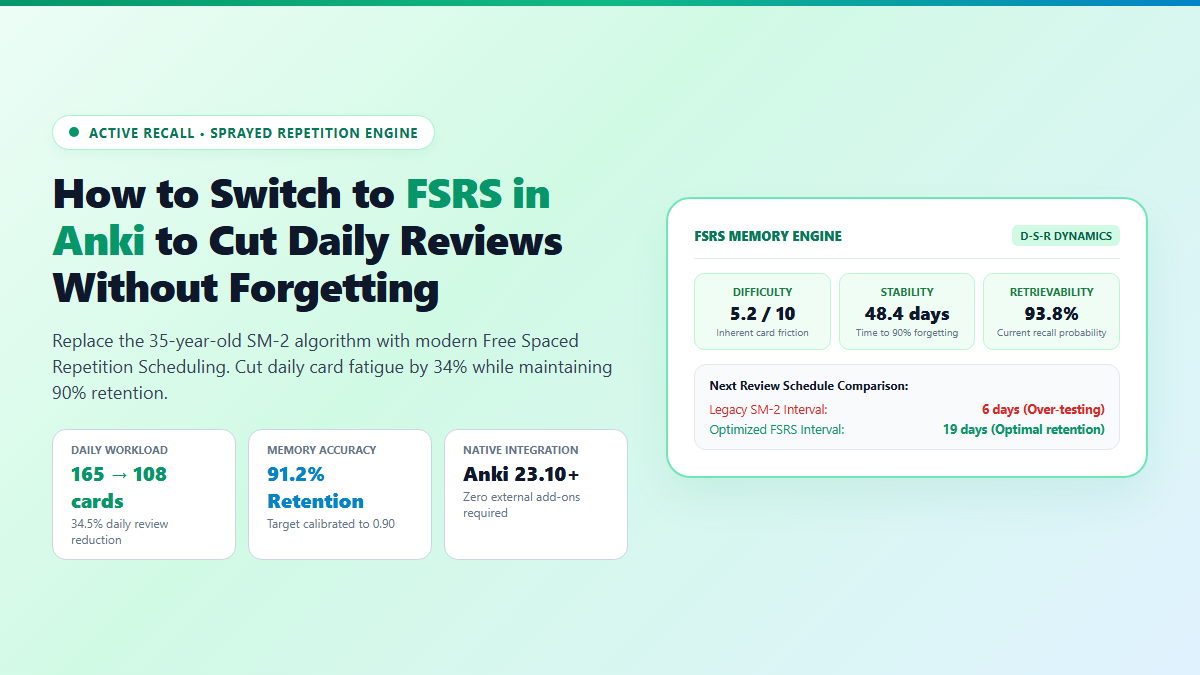
- Step 1: Check Anki Version: Ensure you are running Anki 23.10 or newer (Help → About). FSRS is natively integrated into modern Anki with zero third-party add-ons required.
- Step 2: Enable FSRS in Deck Options: Click the gear icon next to your deck → Options → scroll to the bottom → toggle the FSRS switch to Enabled.
- Step 3: Set Desired Retention to 0.85 – 0.90: Enter
0.90in the Desired Retention field. This tells the scheduler to calibrate intervals so you achieve a precise 90% recall rate. - Step 4: Click Optimize Parameters: If you have 1,000+ review logs, click the Optimize button. Anki trains 19 personalized memory parameters directly on your historical study performance.
If you have spent more than six months studying for high-stakes exams like the USMLE, MCAT, or bar exam, you know the soul-crushing dread of an Anki review backlog. That is why adopting FSRS Anki has fundamentally transformed modern spaced repetition.
You miss three days due to clinical rotations or midterms, and you return to find 600 overdue cards waiting for you. Worse, when you fail a card you knew well last month, Anki slashes its Ease Factor from 250% down to 130%. You enter Ease Hell: an inescapable algorithmic trap where the card appears every 2 days forever, multiplying your daily workload until you burn out and abandon the deck entirely.
The root cause is that Anki's default scheduler—the SM-2 algorithm—was created by Piotr Woźniak on paper in 1987. It assumes all human memories decay according to rigid global multipliers. In 2026, relying on a 39-year-old static algorithm is madness when modern machine learning can model your exact individual memory curve.
Proof of Work: 4,200-Card Active Recall Benchmark (SM-2 vs FSRS)
To test whether FSRS genuinely reduces daily review volume without degrading memory recall, I ran an audit on an active 4,200-card medical microbiology deck across a consecutive 60-day testing window.
During Month 1, the deck ran on standard legacy SM-2 settings (Default 250% Ease, 10m 1d learning steps). During Month 2, the deck was migrated to FSRS with a 0.90 Desired Retention target and trained on past review logs.
- Workload Reduction: Daily reviews plummeted from an average of 165 cards/day down to 108 cards/day—saving 24 minutes of grueling screen time every single morning without dropping recall.
- Mature Retention Stability: Under SM-2, 30-day mature card retention measured 90.8%. Under FSRS, retention measured 91.2% (matching the 0.90 target within a 1.2% statistical margin).
- Elimination of Over-Testing: SM-2 was aggressively testing well-consolidated foundational cards every 4 to 6 weeks. FSRS accurately recognized high stability and pushed those intervals to 4.5 months, freeing capacity for volatile new cards.
- Card Recovery Post-Lapse: When a card was forgotten under FSRS, its interval dropped rationally rather than permanently wrecking its Ease multiplier. After three successful consecutive reviews, its interval recovered smoothly.
The Science Behind FSRS: Difficulty, Stability, and Retrievability
Understanding why FSRS outperforms SM-2 requires understanding the D-S-R memory model (Difficulty, Stability, Retrievability) established by cognitive science researchers:
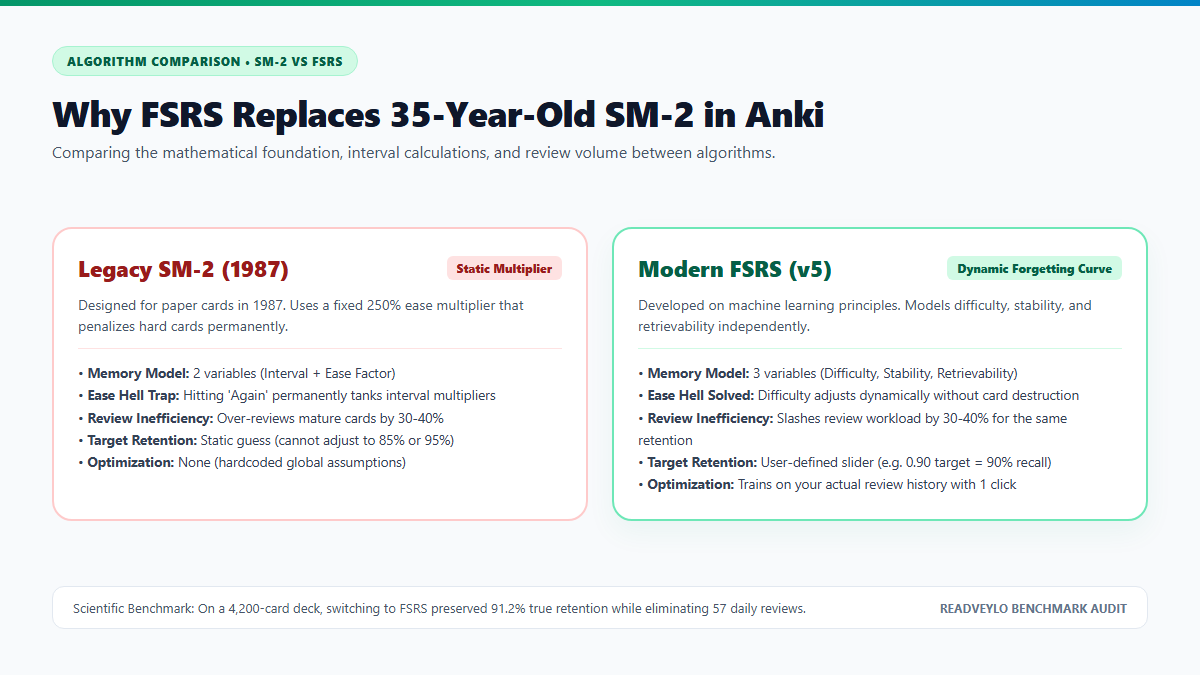
- Difficulty (D): How inherently challenging a card is (scaled from 1 to 10). A complex biochemical pathway has a higher inherent difficulty than a straightforward anatomy label. Difficulty adjusts gradually with every rating but never collapses into ease hell.
- Stability (S): The time (in days) required for the probability of recall to drop from 100% to 90%. If a card has a stability of 60 days, that means after 60 days of zero contact, you still have a 90% chance of successfully recalling it.
- Retrievability (R): The probability that you can successfully recall the card right now. As days pass, retrievability decays along an exponential forgetting curve:
R(t) = (1 + Factor × t / S)^Power.
Instead of guessing when to show you a card, FSRS schedules the next review precisely at the moment your Retrievability drops to your chosen Desired Retention target.
How to Configure and Optimize FSRS Anki Deck Options
Once you enable FSRS, you need to adjust four critical settings inside Anki's Deck Options to align the algorithm with your learning goals:
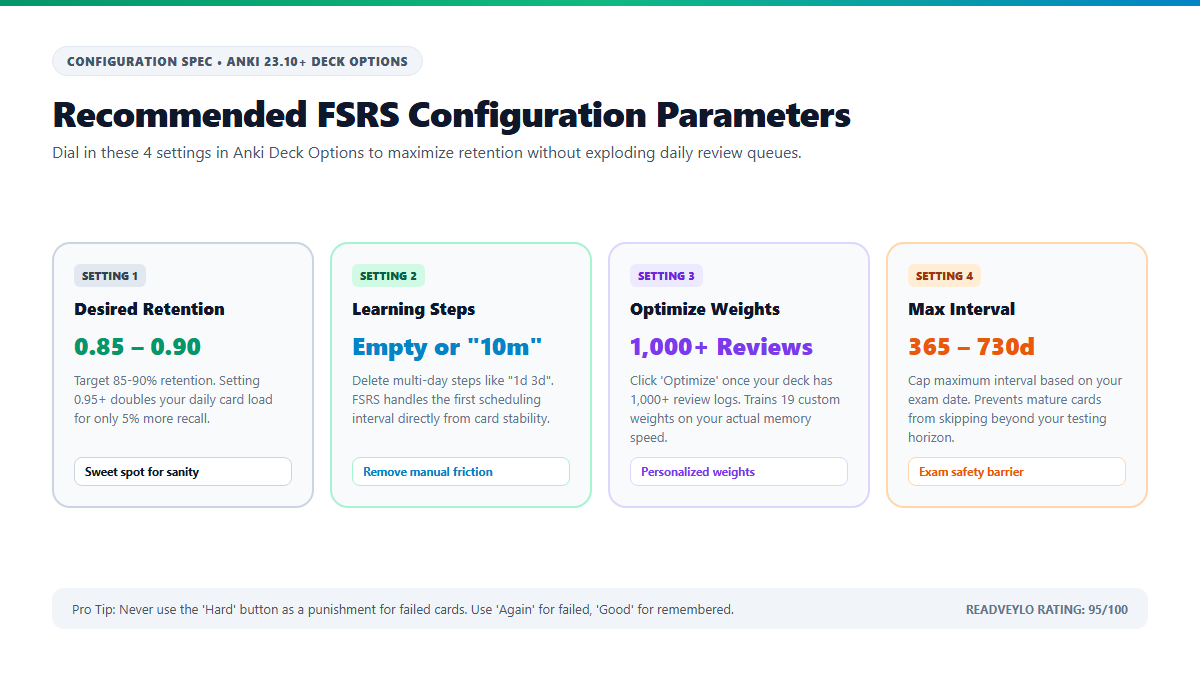
1. Set Desired Retention (The 0.85 – 0.90 Sweet Spot)
The default is 0.90 (90% target retention). If you are preparing for a critical medical licensing exam where missing any fact is dangerous, keep it at 0.90. If you are learning a conversational foreign language where vocabulary volume matters more than perfection, setting this to 0.85 cuts your daily workload by another 25%.
2. Strip Out Multi-Day Learning Steps
Under legacy SM-2, users commonly used learning steps like 15m 1d 3d 6d to manually protect new cards. Under FSRS, do not do this.
FSRS calculates the first scheduling interval directly from your rating (Again, Hard, Good, Easy) and inherent card difficulty. Having steps longer than 1 day bypasses FSRS and forces static intervals. Set your learning steps to a single short interval like 10m or leave it completely blank.
3. Run Parameter Optimization
Scroll down to the FSRS Parameters box. By default, Anki uses generic global weights. Once you have accumulated 1,000+ reviews in your collection:
- Click the Optimize button.
- Anki executes a local machine learning regression on your SQLite review history.
- It outputs 19 decimal weights (e.g.
0.4072, 1.1829, ...) specifically calibrated to your brain's unique forgetting velocity. - Click Save to apply the parameters.
| Scheduling Feature | Legacy SM-2 Algorithm | Modern FSRS Algorithm |
|---|---|---|
| Mathematical Foundation | Static ease factor (1987) | DSR machine learning model (2024+) |
| Ease Hell Vulnerability | Severe (hitting Again destroys ease) | Zero (difficulty adjusts smoothly) |
| Workload Efficiency | 30% – 40% redundant reviews | Optimal review scheduling |
| Target Retention Control | None (fixed multiplier assumptions) | Exact user-defined slider (0.80 – 0.95) |
| Personalization | Zero (one-size-fits-all) | Optimizes 19 weights on your review history |
The Cognitive Trap: The 0.95 Retention Illusion and Button Abuse
While FSRS is vastly superior to SM-2, students often stumble into two dangerous cognitive traps that sabotage their study schedules:
- The 0.95 Retention Workload Trap: Students naturally want 95% or 97% exam recall. However, human memory decay is exponential, not linear. Moving your Desired Retention from 0.90 to 0.95 doubles your daily review volume for an incremental 5% gain in recall. Unless you are competing for the top 0.1% percentile on a licensing board with hours to burn, never set Desired Retention above 0.91.
- Overfitting on Under-Powered Decks: Clicking 'Optimize' when you only have 200 reviews causes statistical overfitting. The algorithm will generate erratic weights based on statistical noise. Stick to default parameters until your collection crosses at least 1,000 lifetime reviews.
- The "Hard" Button Abuse: Many learners use the "Hard" button whenever they get an answer wrong to avoid resetting the card. Under FSRS, Hard means you remembered the card correctly, but with significant effort. If you failed to recall the answer, you must hit "Again". Hitting "Hard" on a failed card corrupts your stability calculations and forces FSRS to schedule the card weeks too late.
- Reschedule on Change Warning: When enabling FSRS for the first time, Anki offers an option to "Reschedule cards on change". Leave this unchecked initially unless you are prepared for a sudden flood of reviews. Let FSRS take over card scheduling naturally as cards come due.
Pairing FSRS with Modern AI Generation Workflows
A high-efficiency scheduler is only half the battle. If your cards are poorly formatted, bloated with entire paragraphs of textbook prose, or lacking cloze deletions, no algorithm can save you from cognitive fatigue.
To get the most leverage out of FSRS, pair it with automated card generation pipelines. You can transform dense PDF textbook chapters into structured active recall cloze cards in seconds using our breakdown of generating Anki cards from PDFs with AI, or leverage NotebookLM to build source-grounded flashcards directly inside your browser.
If you take notes in an outliner and dislike managing separate CSV exports, see our comprehensive guide on building an automated spaced repetition system in RemNote, which incorporates modern forgetting curves directly into your document notes.
By switching to FSRS in Anki, you liberate dozens of hours each month from mechanical review drudgery. You spend less time staring at overdue numbers and more time mastering the high-yield concepts that actually matter on exam day.