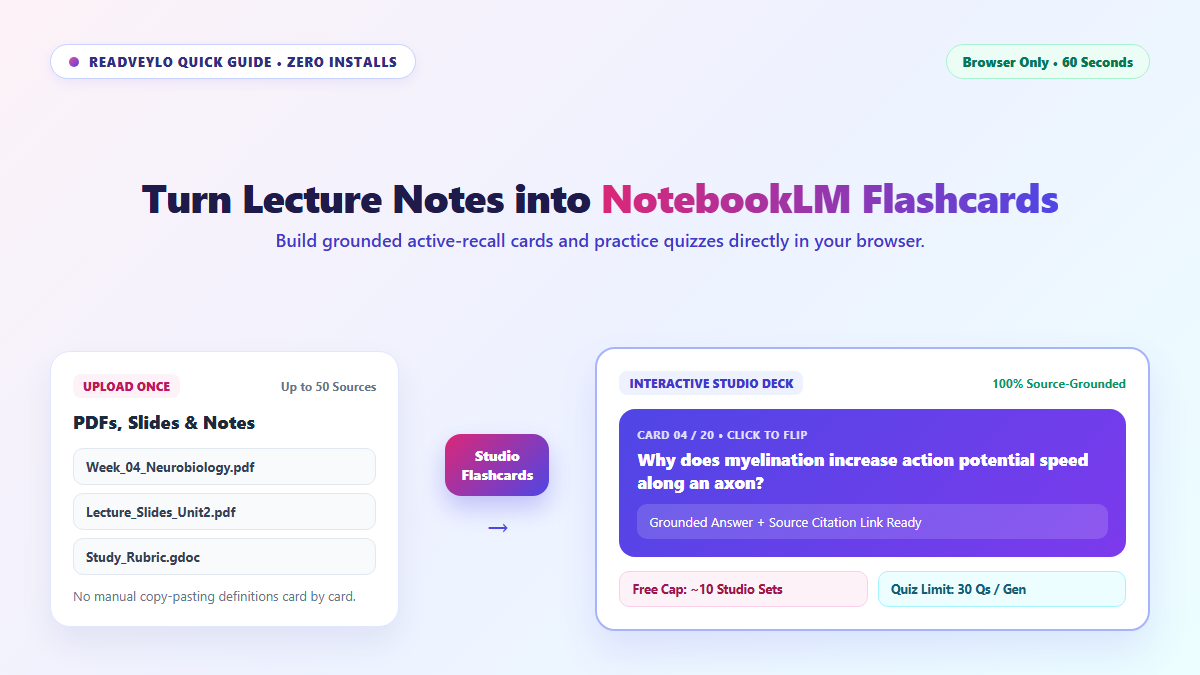
I spent an entire weekend before midterms formatting Anki decks from an 80-slide biochemistry deck, only to realize I had spent four hours typesetting questions and zero minutes actually recalling answers. Manual card building feels productive, but it's just structured procrastination disguised as study prep.
NotebookLM eliminates that friction entirely. You upload your raw lecture slides or syllabus PDFs directly into the browser, and its Studio panel generates interactive, source-grounded flashcards in under a minute without costing a dime.
The critical difference between this and generic ChatGPT prompts is source grounding. It doesn't hallucinate random internet trivia or introduce textbook jargon your professor never assigned; every question and answer anchors directly to the text on your slides.
What NotebookLM Flashcards Do Better Than Generic Chatbots
Ordinary chat windows guess whenever your syllabus wording differs from general textbooks. Inside NotebookLM, a free personal account holds up to 50 files per notebook (up to 500,000 words or 200 MB per file), keeping every card strictly tied to your lecture materials. You can pair card drills with NotebookLM visual mind maps or listen to chapters using free NotebookLM podcasts.
- Cost: $0 with any standard personal Google account.
- Active Recall Modes: Generate flip cards or switch to multiple-choice Quizzes inside the Studio panel.
- Best Habit: Keep one notebook per exam unit so chapters do not blur together.
Three Browser Steps to Generate Study Cards
- Start one unit notebook: Open notebooklm.google.com, create a notebook for a single exam module, and upload your PDFs, lecture slides, or Google Docs.
- Click Flashcards in Studio: Look at the right-hand Studio panel and select Flashcards (or Quiz for practice questions). Wait roughly 20 to 60 seconds while NotebookLM extracts key concepts.
- Flip cards and probe weak spots: Test yourself inside the browser tab and click follow-up prompts on any card that trips you up. Need instant formatted citations for your paper? See our 30-second guide on clean citations with ZoteroBib. Need automated spaced-repetition exports for Anki instead? See our PDF-to-Anki card workflow or our complete NotebookLM study guide.
Free Caps and Limits to Watch
- Generation caps exist: Free accounts typically top out around 10 Studio quiz or flashcard generations per notebook scope alongside rolling usage windows.
- 30-question quiz ceiling: Single generated practice quizzes silently cap at 30 items even if your prompt asks for 50, so generate by individual chapter instead.
- Built-in deck stay-in-browser: NotebookLM is built for quick interactive browser review rather than one-click `.apkg` exports into desktop Anki.
