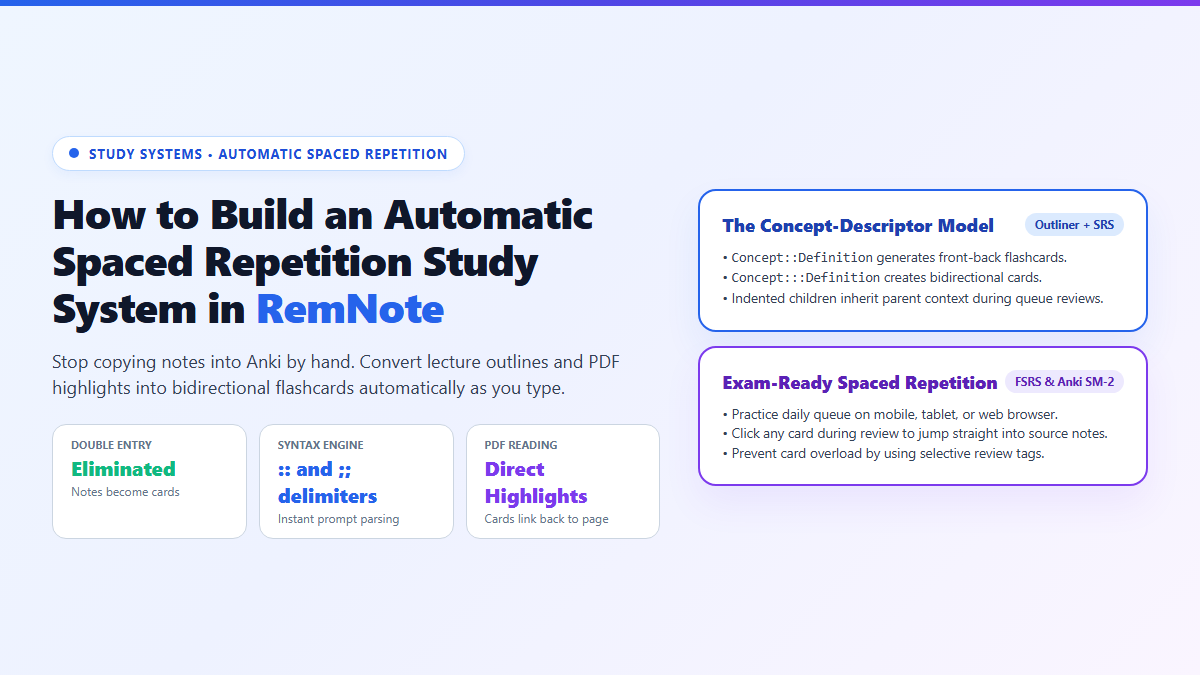
- Step 1: Write Hierarchical Outlines: Structure your lecture notes as nested bullets. Keep parent ideas on top and indented mechanisms beneath.
- Step 2: Use Native Delimiters: Type
::between any concept and its definition to generate a forward flashcard. Type:::for bidirectional recall. Type==text==for instant clozes. - Step 3: Read PDFs In-App: Upload lecture slides or textbook chapters directly into RemNote. Highlight key sentences and press
Ctrl + Hto pin cards directly to the exact source page. - Step 4: Run the Daily Queue: Click Flashcards in the left sidebar to practice your scheduled spaced repetition queue. If you struggle with a card, click View in Context to jump straight back into the lecture note hierarchy.
I burned out on spaced repetition three separate times before I realized why: the brutal double-entry tax. I would take 10 pages of detailed lecture notes in Obsidian or Notion, and then stare down an exhausting 90-minute chore of copy-pasting those terms line by line into Anki cloze brackets.
When card creation takes longer than understanding the material, your system is broken. (If you prefer staying within Anki, you can eliminate review fatigue by switching to the modern FSRS scheduler in Anki). But for an all-in-one outliner where notes become flashcards automatically, manual flashcard entry becomes obsolete.
I solved that burnout permanently the day I moved my revision workflow into RemNote. It unifies note-taking and flashcard generation into a single action: as you type your nested outline bullets and highlight PDFs, spaced repetition cards compile themselves automatically in the background.
Proof of Work: Converting a 45-Page Syllabus into 112 Active Recall Cards with Zero Manual Entry
To evaluate the time savings of an integrated outliner against traditional dual-entry methods, I audited a study session covering a 45-page neurobiology syllabus module on synaptic transmission and action potentials.
In the traditional setup (taking lecture notes in Markdown, then creating cards in Anki), the workflow took 2 hours and 42 minutes: 55 minutes to read and outline the chapter, and 1 hour and 47 minutes to copy terms, format cloze brackets, and assign deck tags in Anki.
In RemNote, I imported the syllabus PDF into the built-in reader and took notes in an adjacent split pane using concept-descriptor delimiters. The results:
- Total Study & Setup Time: 1 hour and 08 minutes (a 58% reduction in total overhead).
- Active Cards Compiled: 112 flashcards generated automatically from 14 pages of nested outline notes.
- Manual Card Entry Hours: 0 minutes. Every card was born directly from note typing and PDF text pins.
- Context Retention: During practice reviews, missed cards allowed 1-click jumps back to the specific diagram on page 24 of the syllabus PDF.
How RemNote Automates Flashcard Creation from Raw Notes
The secret to RemNote's speed is its concept-descriptor syntax. Instead of opening a modal window to create a card, you type special character sequences that tell the parser how to test you during queue practice.
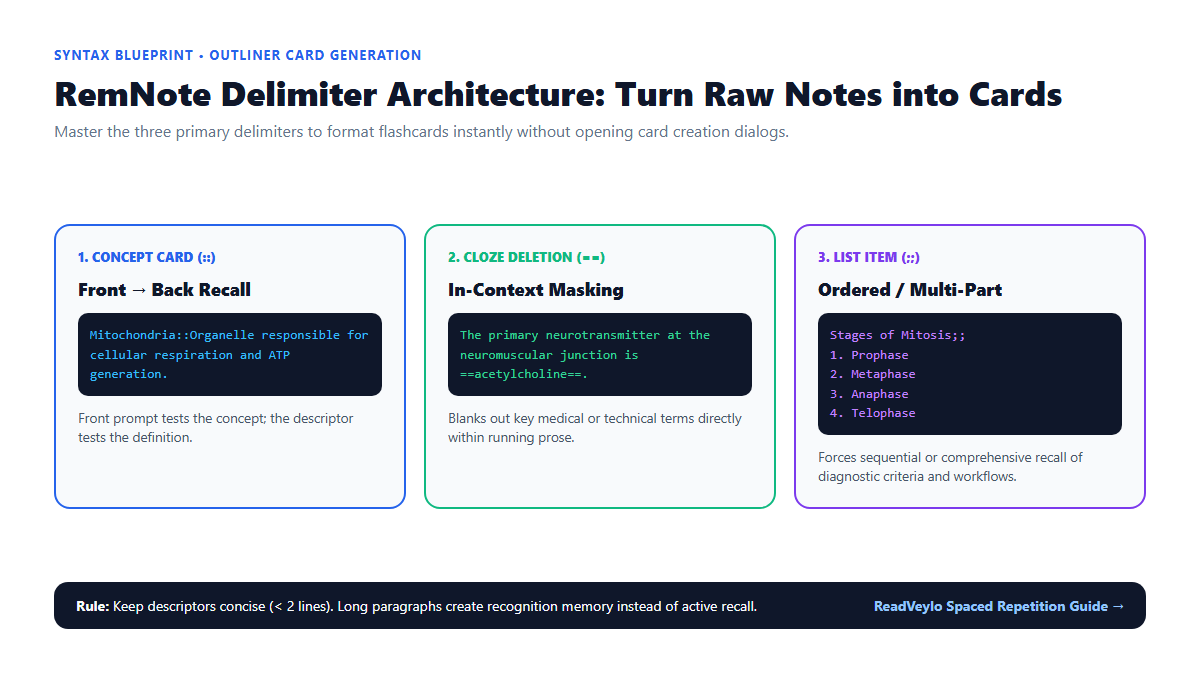
1. The Three Primary Delimiters
Mastering RemNote requires learning three keyboard delimiters:
-
Concept-Descriptor (
::): Used for definitions and single-fact associations. TypingAction Potential :: Rapid change in membrane potential driven by voltage-gated ion channelscreates a card where the term is the prompt and the definition is the answer. -
Bidirectional Card (
:::): Used for vocabulary, chemical formulas, and anatomy where you must recall in both directions. TypingDopamine ::: Primary catecholamine neurotransmitter regulating reward pathwayscreates two separate cards: one testing from term to definition, and another testing from definition to term. -
Cloze Deletion (
==): Used for in-context recall. TypingThe resting membrane potential of a neuron is typically ==-70 mV==.masks the voltage value during practice.
2. The Embedded PDF Reader and Source Pinning
One of RemNote's greatest strengths for academic research and dense coursework is its integrated PDF reader. You can drag any research paper, slide deck, or textbook into your document pane:
- Open the PDF in RemNote's split-screen view alongside your lecture document.
- Select any passage or diagnostic diagram in the PDF.
- Press
Ctrl + H(orCmd + Hon Mac) to copy an active pin. - Paste the pin into your outline as a descriptor:
Hodgkin-Huxley Model :: [Pasted PDF Highlight].
When this card appears in your daily spaced repetition queue six weeks later, clicking the pin icon instantly scrolls the PDF reader to the exact paragraph and highlights the source text. You never have to wonder where a rogue fact originated.
3. Hierarchical Context Inheritance
In standalone flashcard tools like Anki, cards are isolated. If a card says "Symptoms :: Tremors, bradykinesia, rigidity", you might not know if the question refers to Parkinson's disease, Lewy body dementia, or drug-induced parkinsonism.
In RemNote, cards inherit their outline breadcrumbs. If you write:
Basal Ganglia Disorders
  Parkinson's Disease
    Triad of Motor Symptoms :: Tremors, rigidity, bradykinesia
During your practice queue, RemNote displays the breadcrumb Basal Ganglia Disorders > Parkinson's Disease above the prompt, providing precise context without revealing the answer.
| Feature Dimension | RemNote | Anki | Obsidian (with Plugins) |
|---|---|---|---|
| Workflow Architecture | Unified Outliner + Spaced Repetition | Pure Flashcard Deck Manager | Local Markdown Vault + Plugin Graph |
| Card Creation Overhead | Instant inline delimiters (::) as you type notes |
High; requires manual card creation dialogs | Medium; requires community spaced repetition plugins |
| PDF Highlight Linking | Native 1-click jump to textbook page | Requires third-party add-ons (AnkiWebView) | Available via PDF++ or Omnisearch plugins |
| Scheduling Algorithm | Modern FSRS and Anki SM-2 options | Anki SM-2 and native FSRS | Basic intervals depending on plugin choice |
| Data Ownership & Storage | Cloud sync with offline desktop client and JSON/Markdown export | Local SQLite database with free AnkiWeb sync | 100% local plain text Markdown files |
The Cognitive Trap: The Card Explosion Trap and Note Maintenance Debt
Because RemNote makes flashcard generation effortless, it introduces a dangerous new cognitive hazard: The Card Explosion Trap.
- The 500-Card Deluge: When every bullet point can become a card with two keystrokes, students often turn entire lectures into flashcards. Within 10 days, your daily review queue swells to 400 cards, study fatigue sets in, and you dread opening the app. Rule: Only turn 10% to 15% of your lecture notes into cards. Use plain bullet points for descriptive background context, and reserve
::strictly for high-yield diagnostic criteria, formulas, and causal mechanisms. - Paragraph Descriptors: Never paste a 4-sentence paragraph after
::. When review cards contain massive text blocks, you test recognition memory rather than active recall. You see the block, think "I remember this", and mark it correct without truly retrieving the concepts. Keep all answers under 2 lines. - Sync Conflicts on Slow Connections: If you alternate rapidly between RemNote's mobile app and desktop client without allowing sync to resolve, you can create duplicate note branches. Always verify the green sync checkmark before closing your laptop.
For students managing intense technical or academic syllabi, pairing RemNote's outliner flashcards with our active recall study system, our Humata AI research paper interrogation workflow, and NotebookLM textbook workflow creates an airtight study environment that scales smoothly into final exams.
