Standard AI chatbots skim the top two search snippets and serve up generic, high-level summaries that leave you doing the real investigation yourself. Gemini Deep Research changes the game by crawling dozens of sources simultaneously and assembling multi-page reports with numbered citations.
The catch is that Google gives free accounts an extremely tight monthly allowance. If you type a loose, unconstrained prompt and immediately hit generate, you burn an entire research credit on surface-level fluff that fails to answer your core questions.
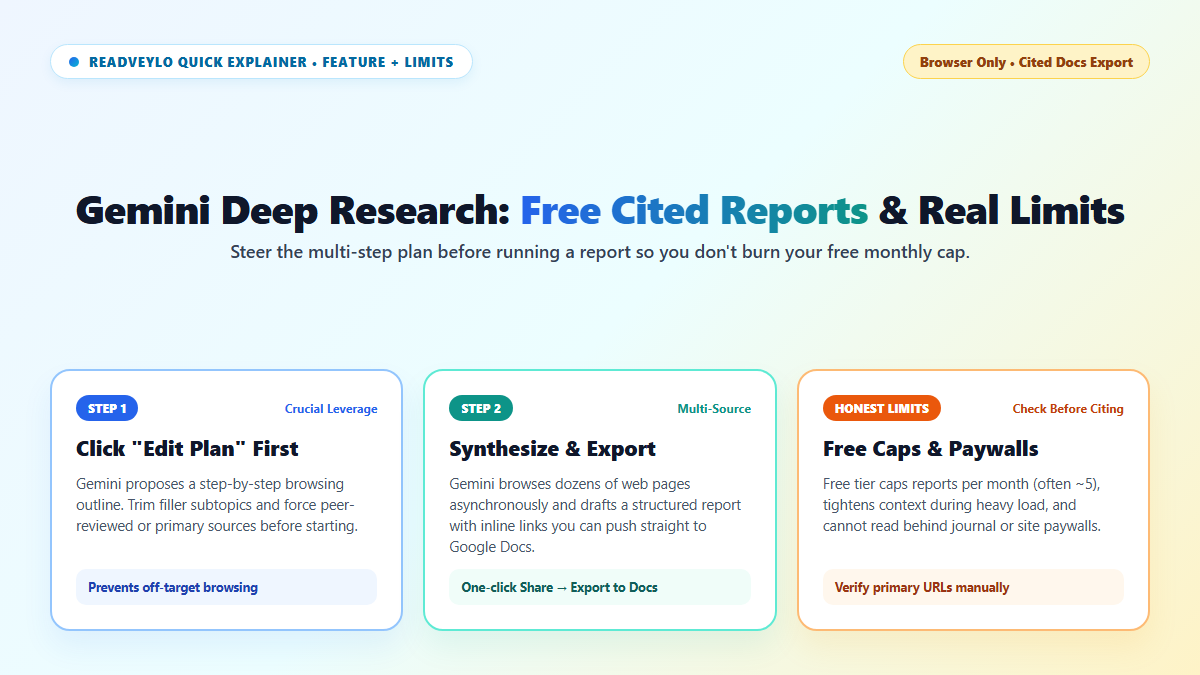
I learned the hard way that the secret lies in clicking "Edit Plan" before the autonomous crawler begins its run. Taking thirty seconds to refine its sub-questions and target domains turns a shallow scan into a rock-solid technical dossier ready for Google Docs export.
What Changed in Gemini Deep Research and Why Everyday Users Care
Traditional search leaves you with twenty open browser tabs and a blank document. Deep Research works directly inside gemini.google.com as an asynchronous web assistant, pulling comparisons, background timelines, and cited summaries together while you work on something else.
That helps freelancers sizing up software prices, students mapping unfamiliar policy debates, or shoppers comparing product safety specs without reading fifty ad-heavy blogs. For citation-checked multi-page literature syntheses, check our Perplexity Deep Research academic workflow alongside our standard Perplexity research workflow. Or, for ultra-fast everyday answers and Canvas drafting, compare Mistral Le Chat and Flash Answers and our DeepSeek R1 vs. V3 breakdown.
Three Steps to Run Gemini Deep Research (Without Wasting Free Caps)
- Select Deep Research inside Gemini: Open
gemini.google.comin Chrome, Safari, or Edge, switch the mode or tools selector to Deep Research, and describe the exact comparison, audience, and decision criteria you need. - Pause and click "Edit plan": Never press Start research immediately. Gemini previews a numbered outline of steps it plans to browse. Click Edit plan, delete fluff sections, and ask it to prioritize official documentation, government stats, or primary studies.
- Export straight to Google Docs: Once the briefing finishes generating (usually two to five minutes), open Share & export at the bottom and pick Export to Docs so headings, tables, and source URLs move cleanly into an editable document.
Where Gemini Deep Research Works Well vs. Where It Falls Short
Broad market scans, software feature matrices, consumer tech backgrounders, and turning scattered public web pages into an organized briefing draft.
- Tight free-tier monthly ceiling: Google limits free accounts to a small monthly run allowance (commonly around 5 reports per month) and trims active context headroom during peak load compared with paid tiers. Always refine the plan before starting.
- Blind behind paywalls and biased toward SEO blogs: Gemini cannot open paid journals or institutional databases like Consensus AI. Open original cited URLs directly before relying on statistics or medical claims.
